
What your staff see in Outlook
When your staff open an email in classic Outlook on Windows, the PhishAway client add-in checks it and shows the result in a pane beside the message. They see the answer before they click anything.
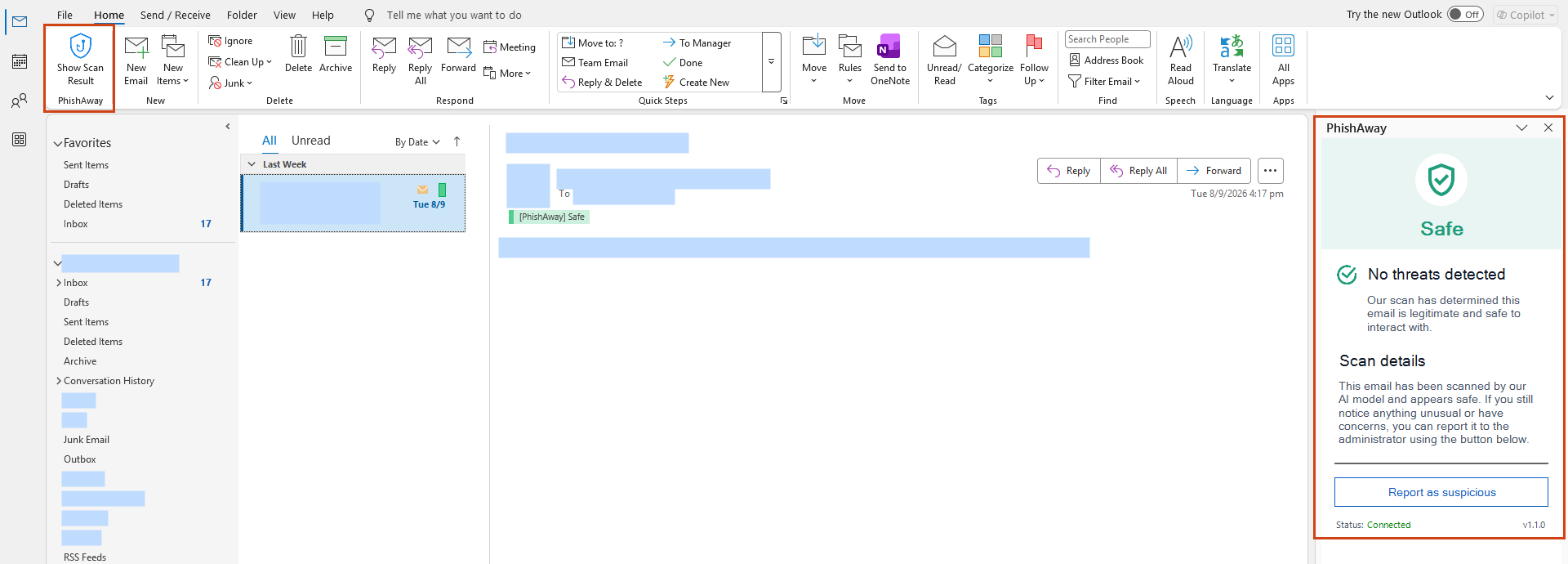
Know whether an email is safe
| Result | What your staff see |
|---|---|
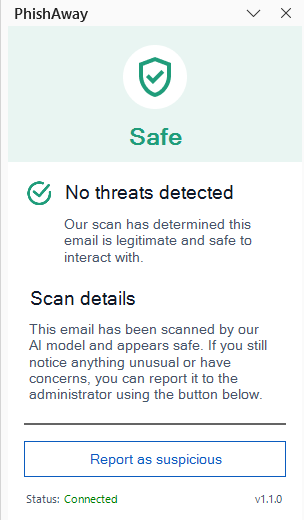
| Safe | PhishAway found no threats. If the email still feels wrong, they can report it as suspicious. |
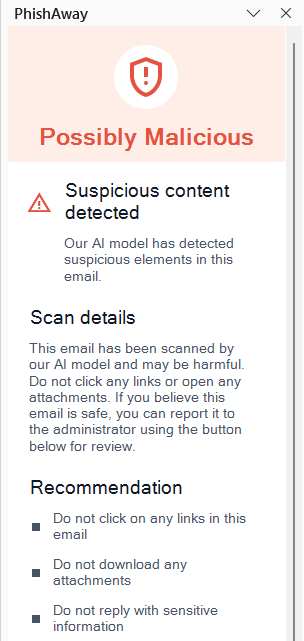
| Possibly Malicious | PhishAway found signs of a threat. The pane tells them what to avoid: clicking the links, opening the attachments and replying with sensitive information. |
What PhishAway checks
- Links. PhishAway checks the links in an email and warns you about dangerous ones, without opening them.
- QR codes in pictures. A QR code can hide a dangerous link, so PhishAway checks QR codes in the email's pictures too.
- Attachments. Word, Excel, PowerPoint, RTF and PDF files are checked for harmful content. PhishAway never opens or runs them to do this.
When PhishAway can't check an email, it shows no result or an error, not a Safe result. An attachment it can't check, such as a ZIP file, is marked Unknown rather than Safe.
Spot dangerous email at a glance
Your staff don't have to open the pane to know an email is dangerous.
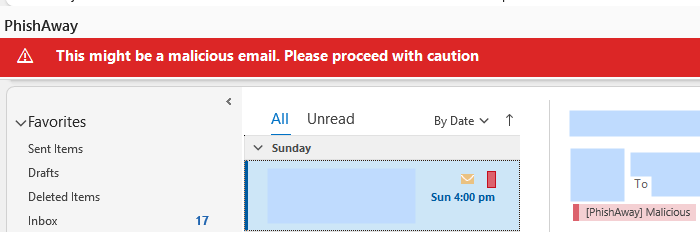
- A warning across the top. It appears on a possibly malicious email and stays for as long as the email is judged malicious. The email itself isn't changed.
- Coloured labels in the inbox. Green for Safe, red for Malicious and yellow for Under Review, so everyone can see an email's status without opening it.
Administrators can change the wording of the warning and the labels.
Ask for a second opinion
No check is perfect, and your staff know their own email.
- An email looks wrong, but PhishAway says Safe. They report it as suspicious.
- PhishAway flagged an email they know is genuine. They report it as a safe email flagged by mistake.
The email then shows as Under Review until an administrator marks it Safe or Malicious. The result then updates in Outlook, with a short note on the decision.
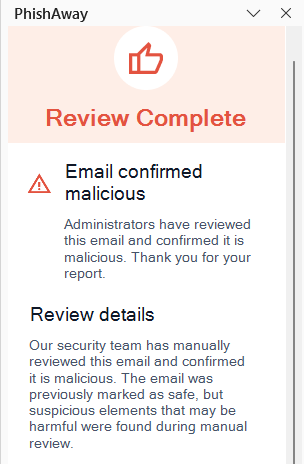
A report doesn't change the result until an administrator decides, so treat a flagged email as unsafe until then. Reporting needs a connection to your PhishAway server.
The warning, the labels and the attachment checks come with the client add-in. The server add-in, for Outlook on Windows, Mac and the web, shows the Safe or Possibly Malicious result and the report button in its own pane. Compare the two add-ins